01
Where you are, and what comes next
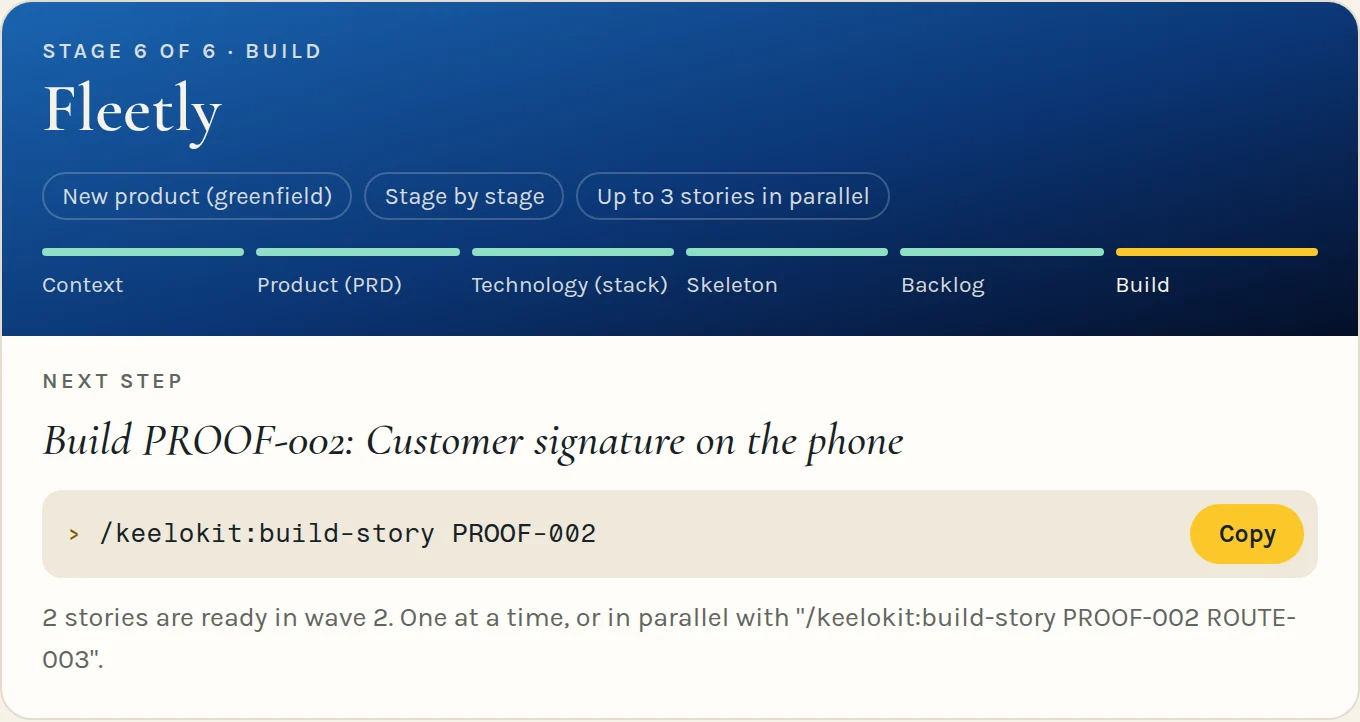
The stages as one line of progress, the run decisions you took once, and the one next step with its command ready to copy.
 Keelokit
 the technical page
The commands, the house rules, the guard and what runs on every commit. The same method as the plain page, in detail.
← Keelokit in plain words Orchestrating releases? How Harbor works →
This is the bottom: everything above is what you see, this is how it holds.
−20 m
/keelokit:project-new walks you through five gates and shows each one on a dashboard. Stage by stage, it stops wherever your decision matters; in automatic mode, only where a person is required. Everything gets written down as it goes.
An interview that reads what you already have first, then asks only what’s missing. What nobody knows yet stays written as an open question, with an owner.
A short PRD: the problem, who it’s for, what’s in and, explicitly, what’s out.
The house stack. Anything that deviates from it is recorded as a decision, not improvised.
A generated monorepo with CI, git hooks and tests, green before you write a feature.
Epics and stories with acceptance scenarios and the rules they must keep, grouped in waves that never touch the same files.
You pick which apps a product needs.
pnpm verify --all▶ Up to date with origin/main (GIT-1)▶ Secret scan (gitleaks)▶ Prisma client▶ Format▶ Lint▶ Typecheck▶ Harness doctor ✔ harness healthy▶ Unit tests▶ Throwaway PostgreSQL (migrated, seeded)▶ Integration tests (real PostgreSQL)▶ Build▶ End-to-end journeys▶ End-to-end on the real stack (./apps/web)▶ Dependency audit✔ verify passedThe stack it generates
| What you have | Start with | What you get |
|---|---|---|
| An idea, nothing else | /keelokit:project-new | A monorepo that runs, with CI, context and a first backlog |
| A repo you already have | /keelokit:project-adopt | The rules mapped to its checks, and the rest as dated debt |
| A story to build | /keelokit:build-story | Tests written first, code that passes them, a verified result |
| Bugs that keep slipping through | /keelokit:check-bugbash | Root-cause fixes, and a check that covers the whole class of every bug that escaped |
| A project to follow | /keelokit:project-dashboardNew | A light, live page: the next step to copy, what waits for you, every wave and its stories |
| Someone to show it to | /keelokit:project-reportNew | The complete status, read-only, as a page to share or a file to export |
| An app to try on your phone | /keelokit:run-localNew | Your app and its API running on a phone, an emulator or the simulator, in one command |
| A product ready for users | /keelokit:ship-setup | Staging and production set up and verified, then /keelokit:ship-release for each version |
−22 m
Twelve commands and the entry point, grouped by what you’re doing. Open any of them to see what it does, step by step.
Start one, bring one in, follow it
/keelokit Where the project stands, what comes next, what’s waiting for your decision.
How it worksWhat it does
When
Any time you open a session and wonder what to do.
/keelokit:project-new From an idea to a working skeleton: intake, PRD, stack, generated monorepo with CI, first backlog.
How it worksWhat it does
When
You have an idea and an empty folder.
/keelokit:project-adopt Adds only the harness to a repo you already have. What it doesn’t meet yet becomes a dated exception.
How it worksWhat it does
When
You already have code and want the rules and checks without a rewrite.
/keelokit:project-dashboardNew The page you work from: light, live, and rebuilt from the repo.
How it worksWhat it does
When
To see where things are, approve a stage, or pick up after a pause.
/keelokit:project-reportNew The complete status of the project, read-only, to share or export.
How it worksWhat it does
When
To show the project to a partner, a client or an investor, or keep a record of where it stood.
Know what to build
/keelokit:plan-intake Reads briefs, notes or a repo, then asks only what’s missing. Never fills a gap with a guess.
How it worksWhat it does
When
A new product, or a new feature that needs context.
/keelokit:plan-backlog Epics and stories with acceptance scenarios and the invariants they keep, in waves so parallel work never collides.
How it worksWhat it does
When
After the PRD, after a new feature intake, or to re-plan.
Turn stories into working product
/keelokit:build-story One story at a time, or a whole wave in parallel: tests first, then code, then people who didn’t write it try to break it.
How it worksWhat it does
When
A story is ready. One at a time, or several of the same wave at once.
Find what slipped through, and keep it from coming back
/keelokit:check-bugbashNew A bug hunt across data, API, integrity, UX, i18n, accessibility and security. Every escaped bug adds a check for its whole class.
How it worksWhat it does
When
After each wave, and before a release.
/keelokit:check-security Security and privacy in depth: personal data, the law of each market, abuse of the critical journeys, scans.
How it worksWhat it does
When
Before the first production release, and when a release touches personal data, auth or payments.
/keelokit:check-health Is every rule still backed by a check that works? Adds rules, registers exceptions.
How it worksWhat it does
When
When CI or the dashboard reports harness errors, or to add a rule.
From your phone to your users: local, staging and production, releases
/keelokit:run-localNew Your app and its API on your phone, an Android emulator or the iOS simulator, in one command. Whatever your Mac is missing, it installs after one yes.
How it worksWhat it does
When
You want to see and touch what you are building. macOS, for projects with a mobile app.
/keelokit:ship-setup Staging and production for people who have never deployed: a guide, the automation, and proof for each step.
How it worksWhat it does
When
After the skeleton, before the first release, or when an environment isn’t ready.
/keelokit:ship-release A version of your product people can name, read about and roll back to.
How it worksWhat it does
When
A wave is done and the last bug bash is clean.
Keep the harness itself up to date
/keelokit:harness-upgrade Maintenance of the harness, not of your app: brings Keelokit’s newer rules and checks into your project.
How it worksWhat it does
When
After updating the plugin, or when the dashboard says the harness is behind.
−24 m
New in 0.8
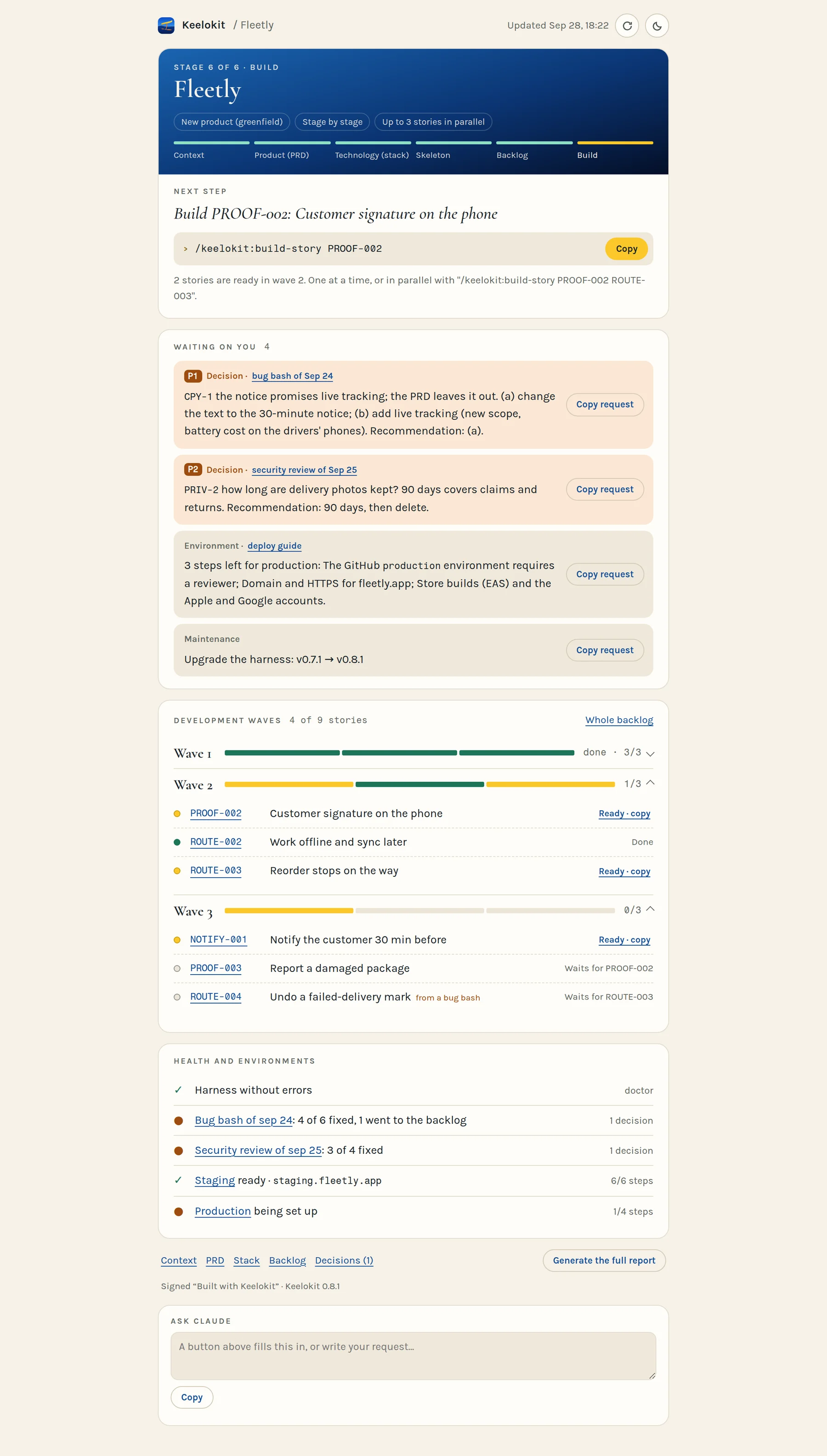
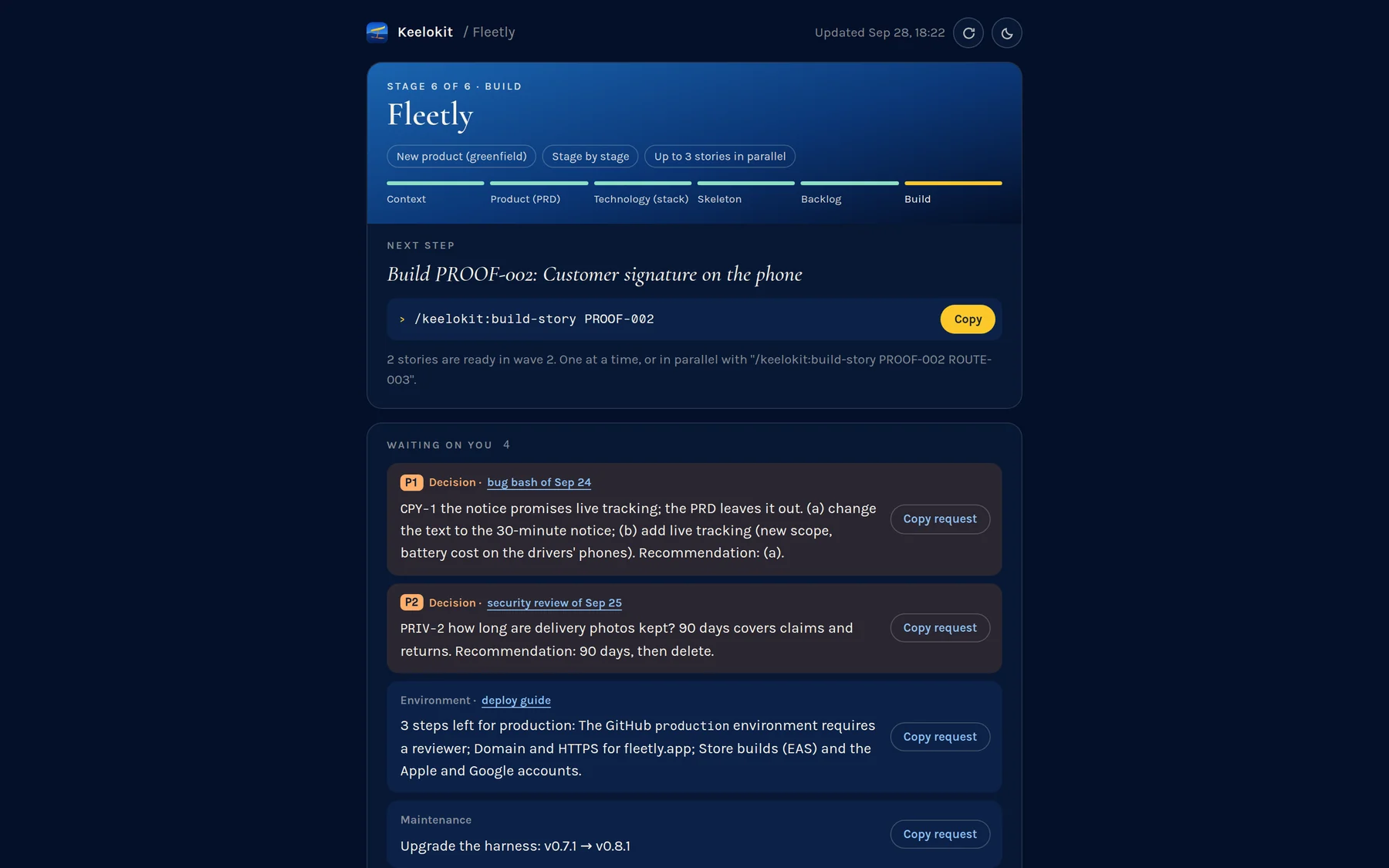
/keelokit:project-dashboard builds a short page from your repo, in your language: where the project is, the next step, what waits for you. It stays live, and it’s light: published once, then each refresh updates the open page without sending it through the chat again, so following a project costs very few tokens. For someone else, /keelokit:project-report generates the complete status, read-only, to share or export.
The stages as one line of progress, the run decisions you took once, and the one next step with its command ready to copy.
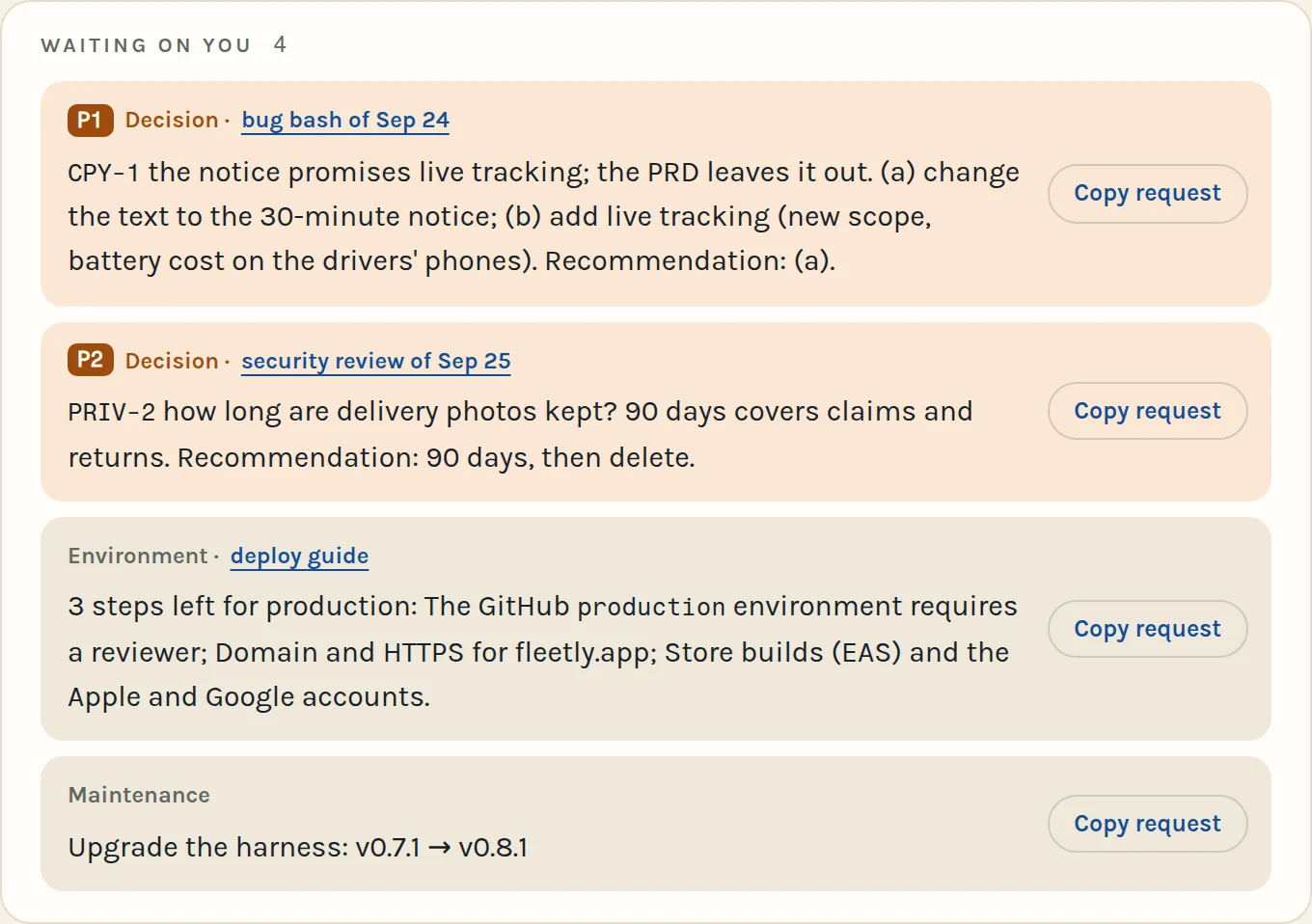
Approvals, the decisions a bug bash or a security review left with the option it recommends, environments still being set up, harness updates. Each links to its source and has its request ready.
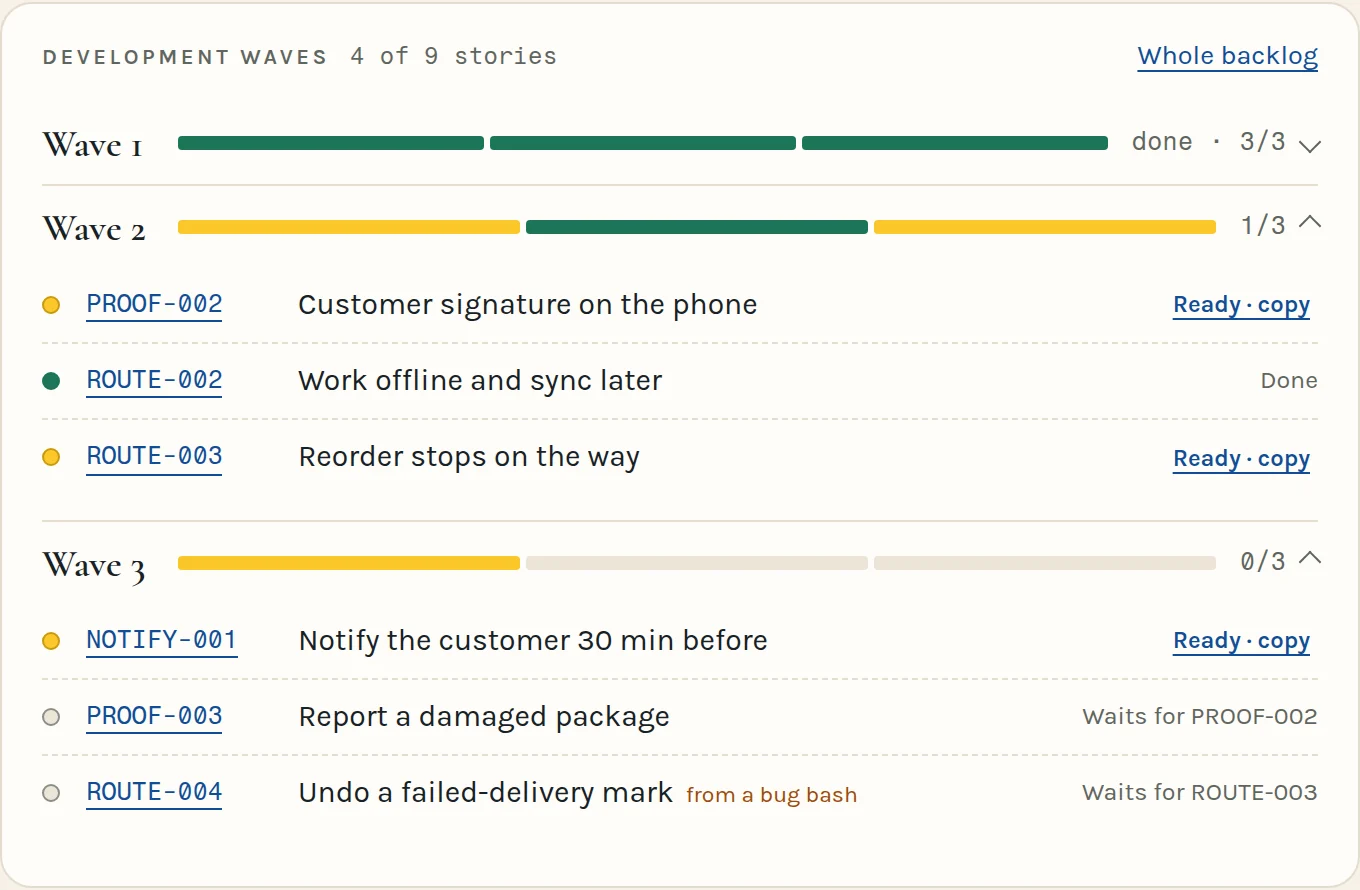
Stories under their development wave, each linked to its file in the repo: done, ready to build (copy its command), or waiting for another. Finished waves fold away.
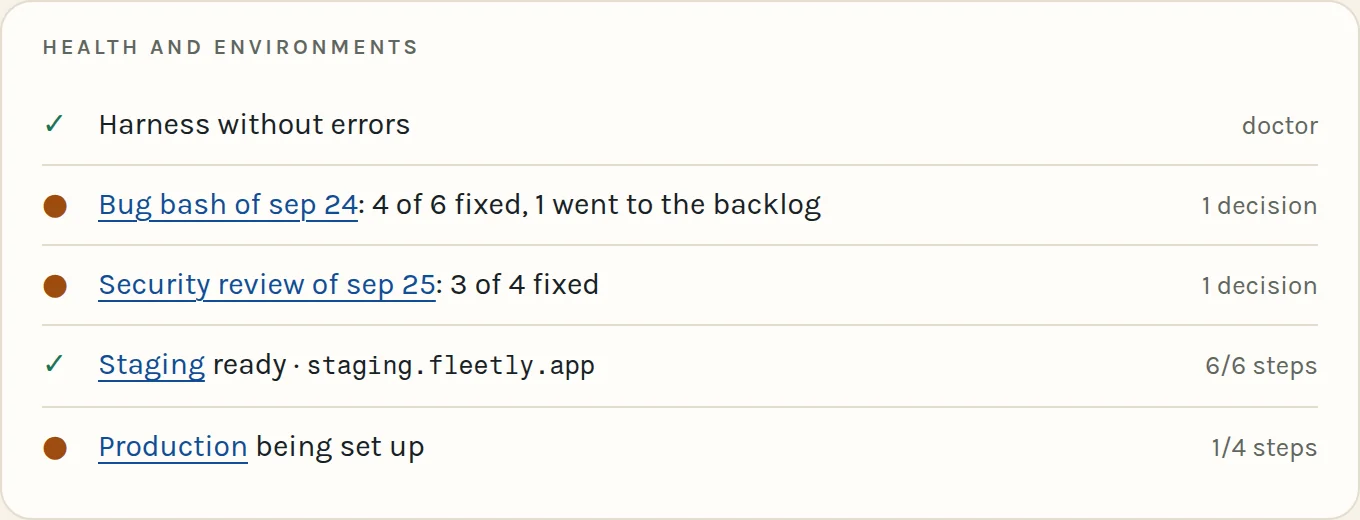
The doctor, the last bug bash and security review with what they fixed, staging and production step by step — and the project’s documents one click away.
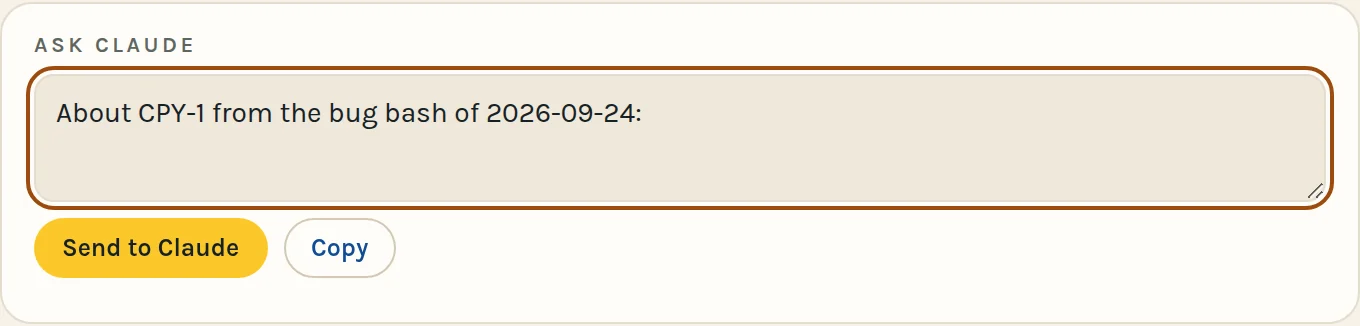
Every button copies its request and fills this box: complete it, then send it to the Claude session watching the dashboard, or paste it into any chat.
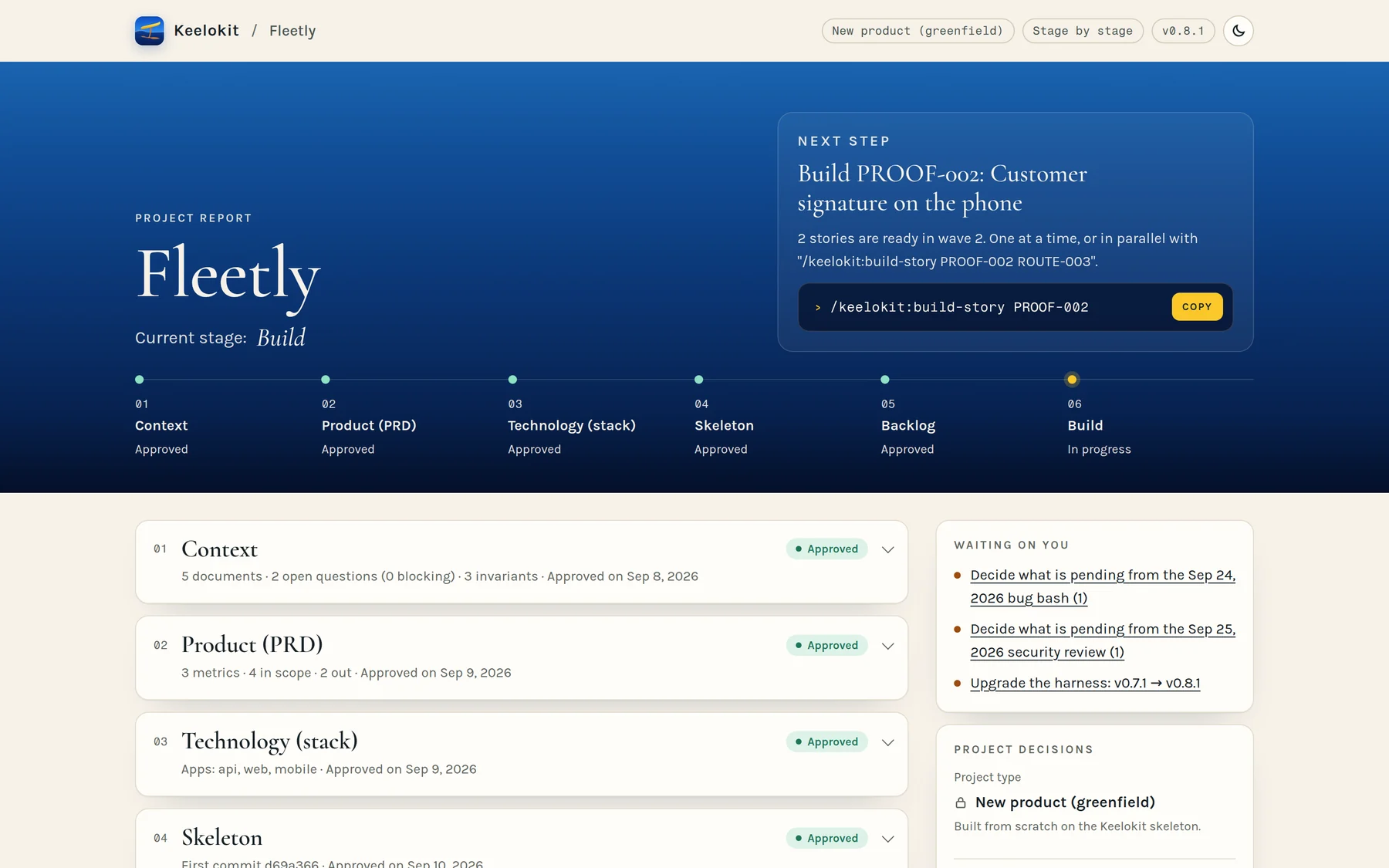
/keelokit:project-report lays out every stage with its documents, every finding, the decisions and the history. Read-only, as a page you can share or an HTML file that opens anywhere.
−26 m
New in 0.9
/keelokit:run-local starts the database and the API and opens your app on an Android phone, an emulator or the iOS simulator. It is the first step of the environments: local, then staging and production with /keelokit:ship-setup, then versions with /keelokit:ship-release.
It checks what is missing, shows it all at once and installs it after one yes. Nothing gets installed behind your back.
If the app is already installed and nothing native changed, it skips the build and just opens it.
It asks whether to load the sample data and shows the test users to sign in with.
Each step leaves its log and the last error; Claude reads it, repairs it and runs it again. It never stops a process, a container or an emulator without asking.
pnpm run:local android▶ Diagnosis ✓ Node v22.12.0 ✓ pnpm 10.33.0 ✓ Docker running ! JDK 17▶ I am going to install/configure: JDK 17 (brew install --cask zulu@17) [y/N] y▶ Database and API ✓ database on port 5432 ✓ API on port 3000 (log: .local-dev/logs/api.log)▶ Android: Galaxy S20 (USB) ✓ already installed, nothing native changed: no rebuild ✓ Metro running, app openedmacOS for now. Launched on a Galaxy S20 over USB and on the iOS simulator.
−28 m
In my experience, agents tend to close stories and leave a trail of bugs behind them, bugs they neither write down nor mention. That’s where these four ideas came from.
Each rule points to something that verifies it: a test, a lint rule, a git hook, a CI job. The doctor tells you when a rule has lost its check.
What nobody knows yet is written down with an owner and the exact question. Plausible defaults don’t get invented.
A verifier writes the acceptance tests before the code, a reviewer reads the diff cold, a breaker attacks the branch, and only the verifier can call a story done.
What must always hold (totals add up, a notice goes out once, a limit holds with two requests at once) is written as an invariant and proven with property, concurrency and replay tests. Critical code gets mutation testing, so its tests can actually fail.
pnpm doctorKeelokit doctor Gates: intake ✓ → product ✓ → stack ✓ → skeleton ✓ → backlog ✓ Rules: 34 · Context gaps: 2 (0 blocking) Invariants: 6 · Critical areas: 1 · Escapes logged: 2 Backlog: 4/11 done · next: AUTH-005, PAY-001 warn exception for UI-1 until 2026-12-01: map SDK needs a literal colour ERROR rule QA-1: CI job 'unit' has continue-on-errorSEC-1No secrets in the reposecret scan in CI · guard · pre-commitCFG-1Every config key documenteda test that compares schema, .env files and READMEAUTHZ-1Every route has an access decisiona test that reads the real routerI18N-1Text only through translationslint rule · locale parity testQA-4No silenced testsguard · pre-commitTRACE-1Every scenario has a testdoctor, in CIINV-1Every invariant proven by a testdoctor, in CIMUT-1Tests of critical code that can failmutation score in CI−30 m
A guard stops secrets (AWS, GitHub, Stripe, Anthropic, npm, GitLab, JWT keys and more, even split across two edits), edits to .env files and to applied migrations, skipped hooks, silenced tests and production deploys.
A short status: where the project is and which stories are ready.
The same guard as a git hook, then the full local check before anything reaches the remote.
Secret scan, lint and types, unit and integration tests on a real PostgreSQL, end-to-end journeys with an accessibility scan and against the real API, mutation testing of critical code, static analysis, a staging deploy.
git commit -m "wip" --no-verifyBlocked by Keelokit — QA-2: never bypass git hooks echo "API_KEY=…" > apps/api/.envBlocked by Keelokit — SEC-2: don't write .env files from the shell;edit .env.example, real values go in the secret store−32 m
Keelokit has no server of its own and collects nothing. Everything stays on your computer and in your accounts.
Your computer
Claude Code runs there with Keelokit. That’s where the code is written and the app is tried out while it’s built.
GitHub
Fly.io
The server on the internet for the back of the app, the part that handles requests, and its database.
−34 m
Ideas I learned from. Spec-driven development (OpenSpec, Spec Kit), Superpowers for separating who builds from who reviews, Copier for templates that can be upgraded, and a lot of trial and error on my own projects.